

Document property condition before disputes happen
Inspections gives teams a structured way to capture condition reports at move-in, mid-lease, and move-out, so the evidence is always there when you need it.
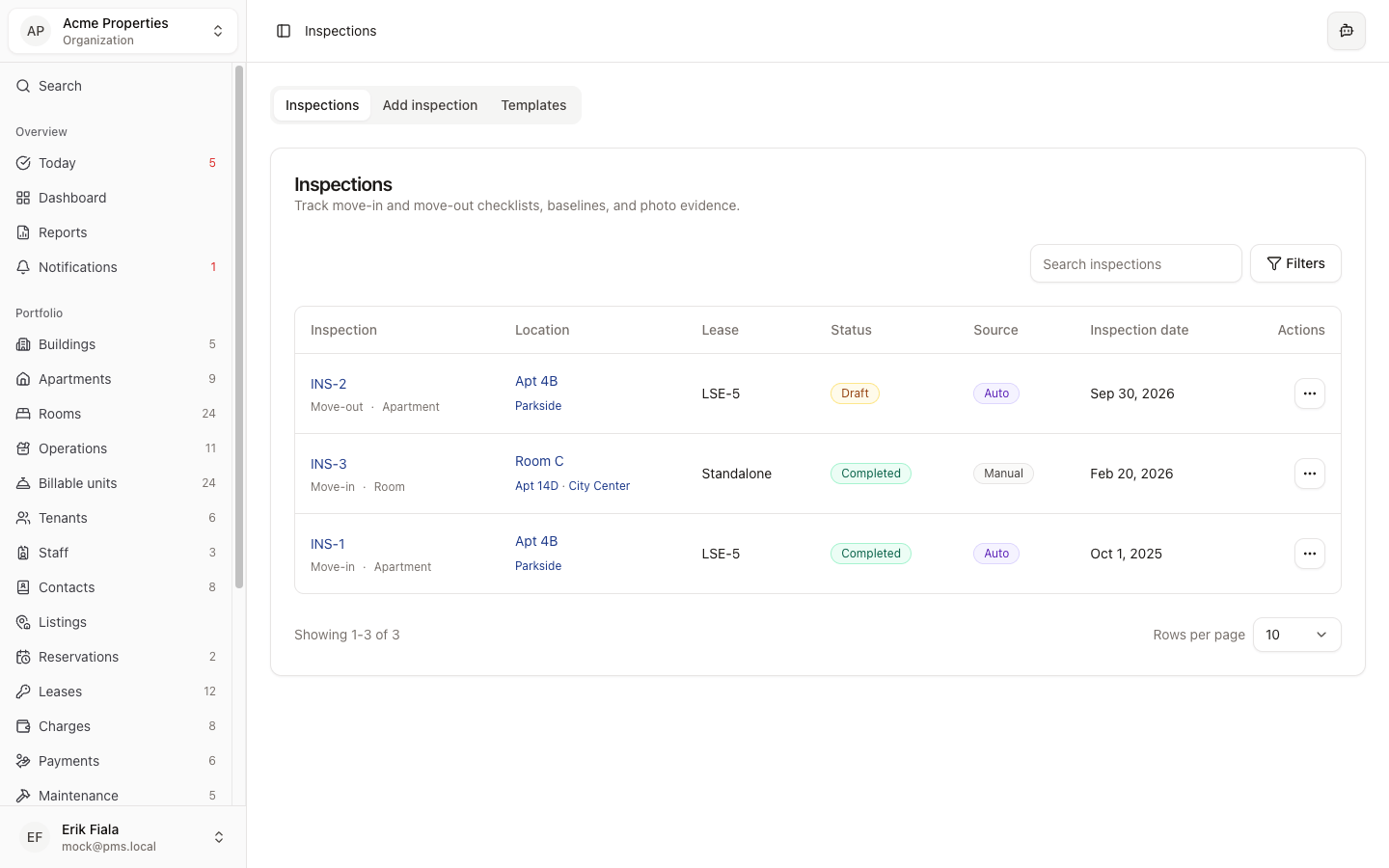
Connected areas inside Hausive
Inspections link to tenants, units, leases, and maintenance so issues found during inspection flow directly into work orders.
Tenants
Inspections are tied to the tenant occupying the unit at the time.
Maintenance
Defects found during inspection can be converted to work orders in one step.
Media
Photos and supporting images are attached directly to the inspection record.
Leases
Move-in and move-out inspections are linked to the relevant lease for clean records.
How teams usually run it
Here is how teams run inspections from scheduling to signed report.
Schedule the inspection
Create a scheduled inspection tied to the unit and tenant, and notify the assigned inspector.
Conduct and record
Walk through the checklist, attach photos at each point, and add condition notes where needed.
Close out and follow up
Mark the inspection complete, raise any defects as maintenance tasks, and archive the signed report.
What gets easier
Structured inspection records reduce disputes and protect your portfolio at every handover.
Fewer deposit disputes
Photographic condition records at move-in and move-out resolve disputes before they escalate.
Faster maintenance response
Defects found during inspection convert to work orders immediately instead of being reported separately later.
Consistent quality standards
Structured checklists ensure every property is evaluated the same way regardless of who conducts the inspection.
Protect your properties with proper records
Stop relying on paper checklists and photos in phone galleries. Hausive keeps every inspection report structured and searchable.
More Operations modules
Facilities
Catalog shared spaces, service rooms, and site assets so every property has a cleaner operational record.
Amenities
Track amenity availability and resident-facing services from the same operating record as the rest of the property.
Utilities
Keep meters, readings, and utility billing inputs tied to the property instead of rebuilding them at billing time.