

Room-level control for shared housing
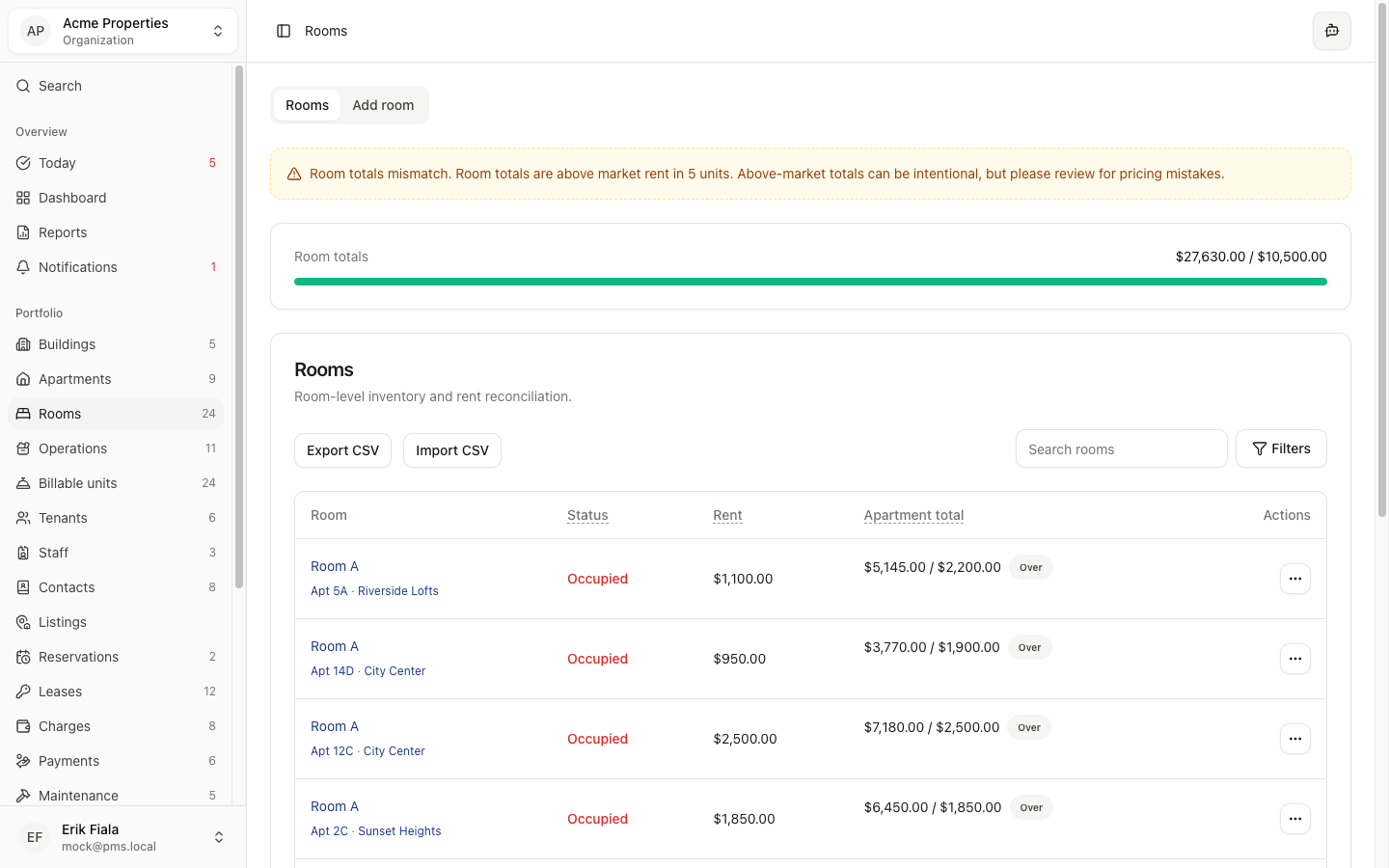
Track every room independently: who occupies it, what they owe, and when it becomes available, without losing sight of the full property.
Connected areas inside Hausive
Rooms connect to tenants, leases, charges, and maintenance so the full picture stays in one place.
Tenants
Link room occupants to their tenant profile and lease.
Leases
Attach room-specific lease terms including per-room rent amount.
Charges
Generate charges at the room level and roll them into property-level statements.
Maintenance
Log repair requests against specific rooms for precise history.
How teams usually run it
Here is how property teams typically manage rooms from vacancy to occupied.
Configure the room
Set capacity, amenities, and base rent for each room within the unit or building.
Assign a tenant
Link a tenant to the room when they move in and track their lease period separately from other rooms.
Track status and billing
Monitor occupancy, generate room charges, and see which rooms are vacant in real time.
What gets easier
Room-level tracking eliminates the gaps that shared-housing portfolios fall into.
No occupancy gaps
Every room's status is visible so vacant rooms are re-let faster.
Accurate per-room billing
Room-level charges prevent billing errors common in shared-housing portfolios.
Cleaner maintenance history
Repair logs tied to specific rooms make inspections and handovers straightforward.
Manage rooms at scale
Stop tracking rooms in spreadsheets. Hausive keeps occupancy, billing, and availability synced automatically.
More Portfolio modules
Buildings
Add and manage every property in your portfolio with address, profile, and the settings that control how leasing, rooms, billing, and public tenant feedback work for that building.
Apartments
Manage apartment-level inventory with pricing context, occupancy status, and the link to leases and billing that keeps everything synchronized.