

Open one view and know exactly where to start
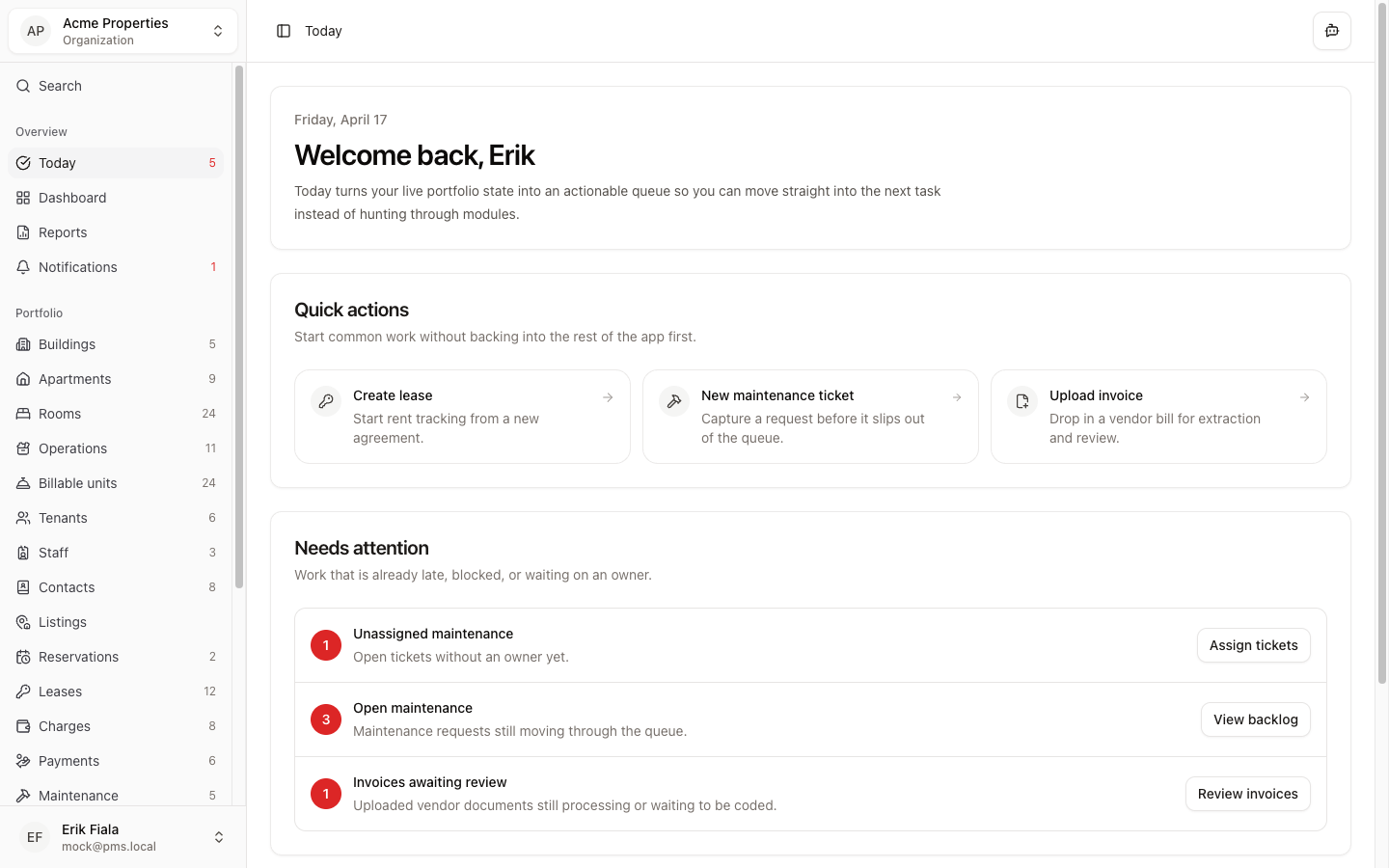
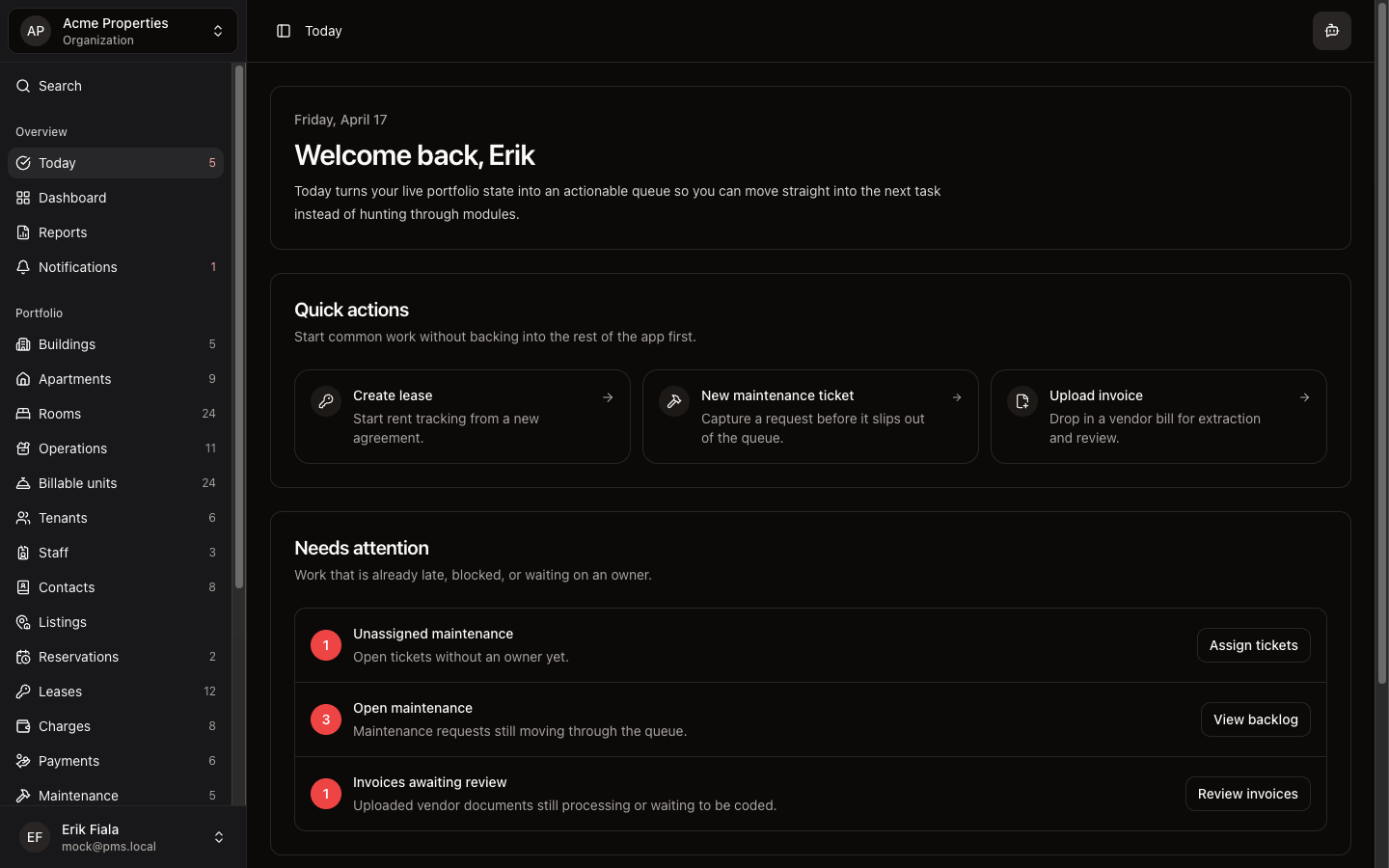
Today surfaces the next setup step while you are getting started, then shifts to the ops queue so overdue rent and open tickets do not get buried.
Connected areas inside Hausive
Today pulls from setup progress and active operations so the most important next step is always visible.
Setup checklist
Guide through property setup in the right order.
Operational queue
Surface overdue charges, open maintenance, and pending approvals.
Property context
Anchor the queue to the active organization and its current state.
How teams usually run it
Teams open Today first, action whatever is surfaced, then move into the specific module to finish the work.
Open Today at the start of the shift
See the highest-priority item without navigating anywhere else first.
Action the surfaced item
Click through to the relevant module and complete the task from there.
Return tomorrow for the next item
Today resets to reflect whatever needs attention next.
What gets easier
Nothing important slips because the day's priority is decided before anything else.
Faster daily starts
The team knows what to do without a morning standup just to triage.
Nothing urgent missed
Overdue items surface before they compound into bigger problems.
Smoother onboarding
New operators follow the setup sequence without guessing what comes next.
Want a cleaner starting point each morning?
Start a free trial and see how Today puts overdue rent and stuck work first without digging through multiple sections.
More Overview modules
Dashboard
See occupancy, overdue rent, and recent activity across your buildings from one screen — without pulling a Friday export.
Reports
Generate owner reports, upload invoices, and keep documents and media attached to the work instead of scattered across folders.
Notifications
See lease expiries, overdue rent, stuck maintenance, and reservation deadlines in one feed before they pile up.